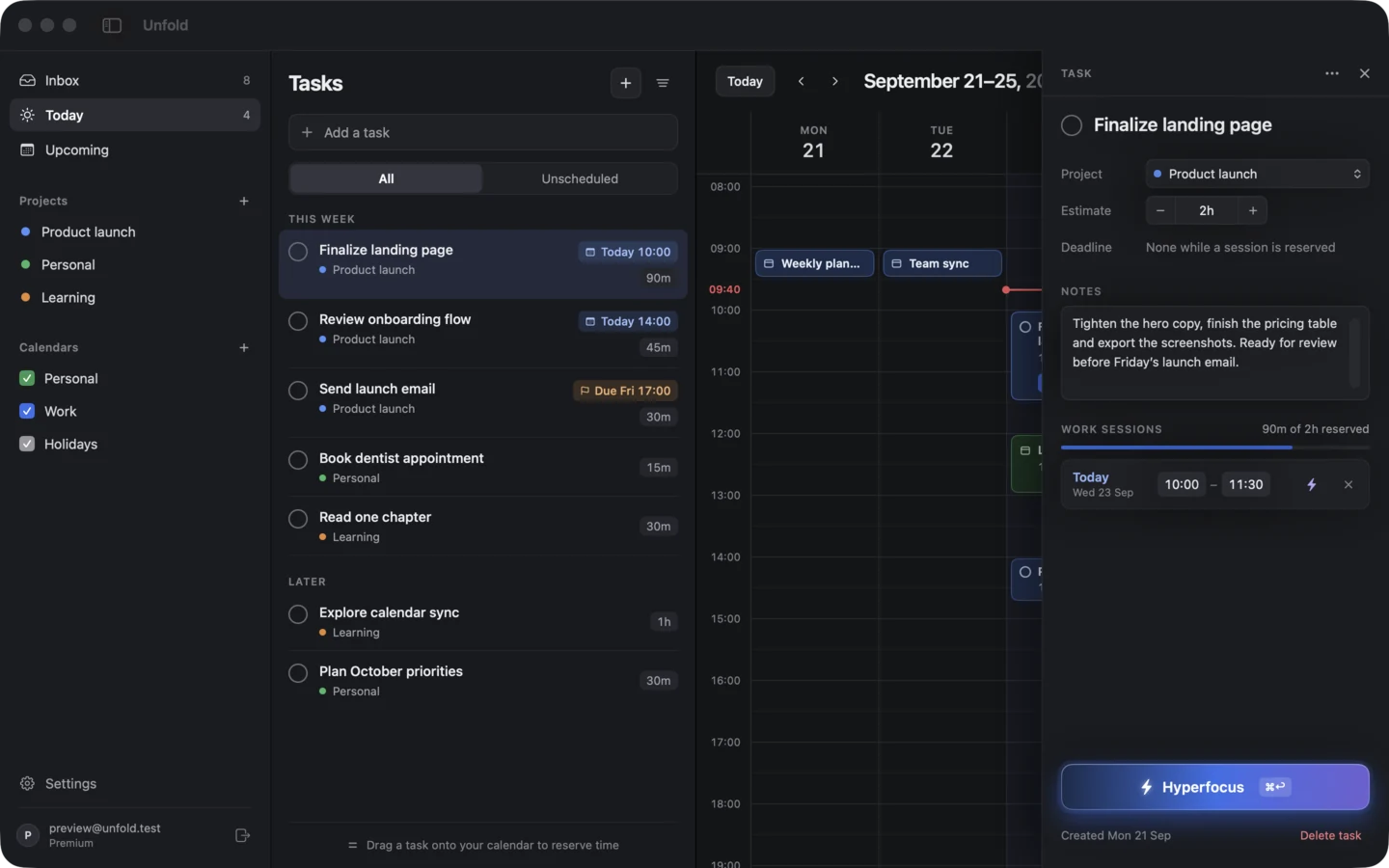
Your tasks, on your calendar, on your computer.

Unfold is a to-do list and a calendar in one app. Give each task a time in your week, then work on it in a Hyperfocus session. It’s native on macOS and Omarchy, it works offline, and it’s free.

Free, with no account. For macOS 14 or later, and Omarchy on Arch Linux.

SwiftUI on macOS Drag the seam to compare rust + gtk4 on omarchy
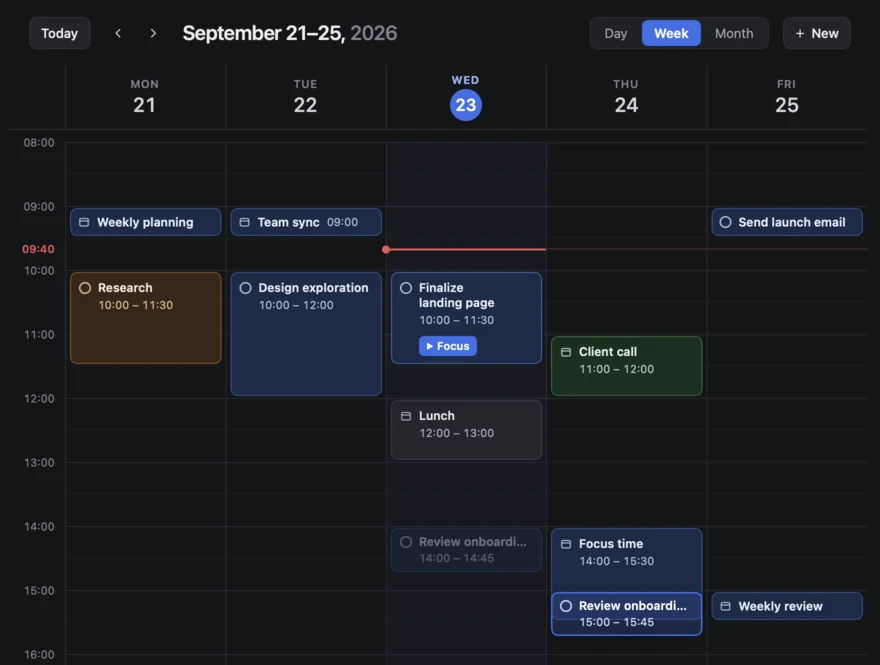
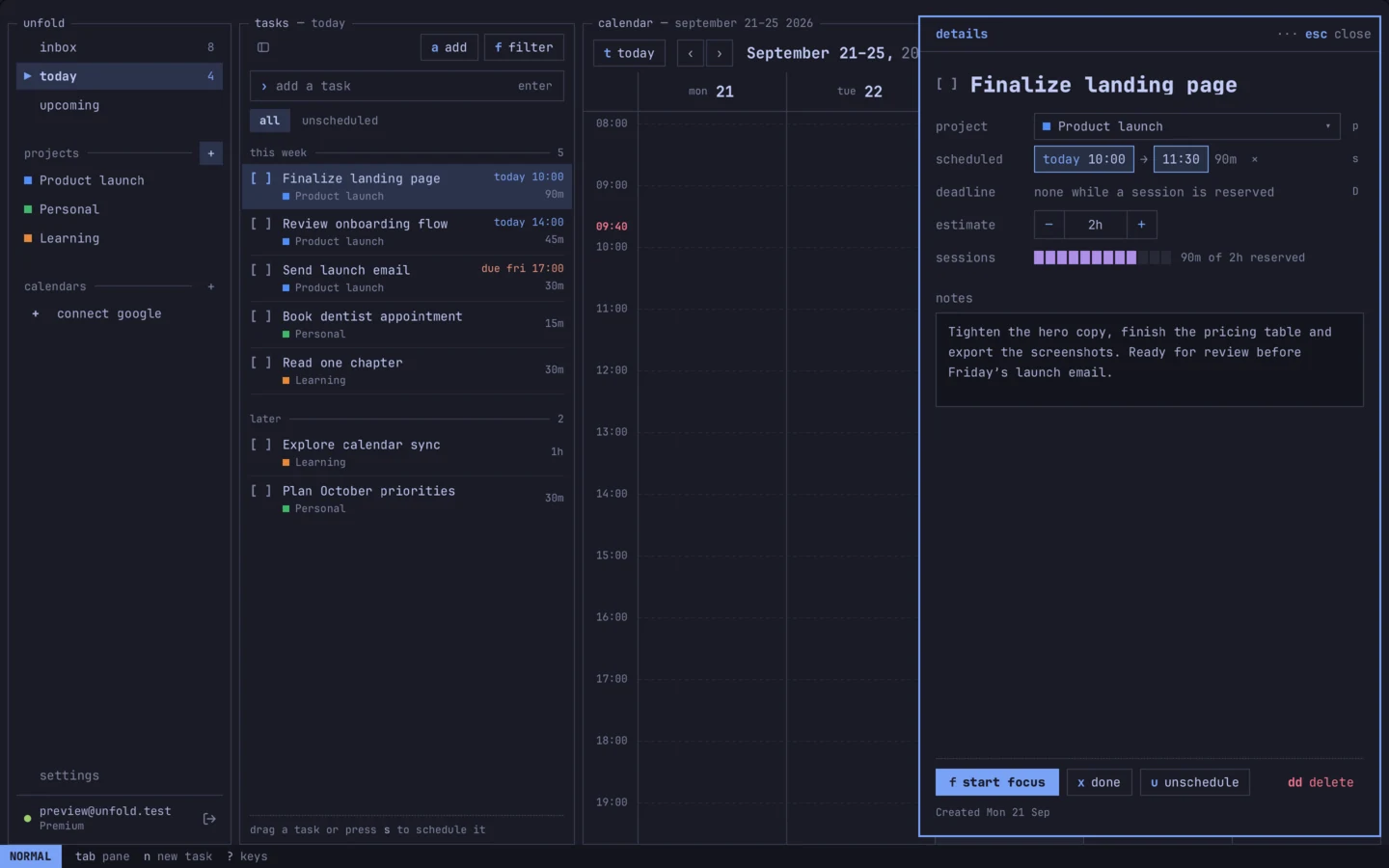
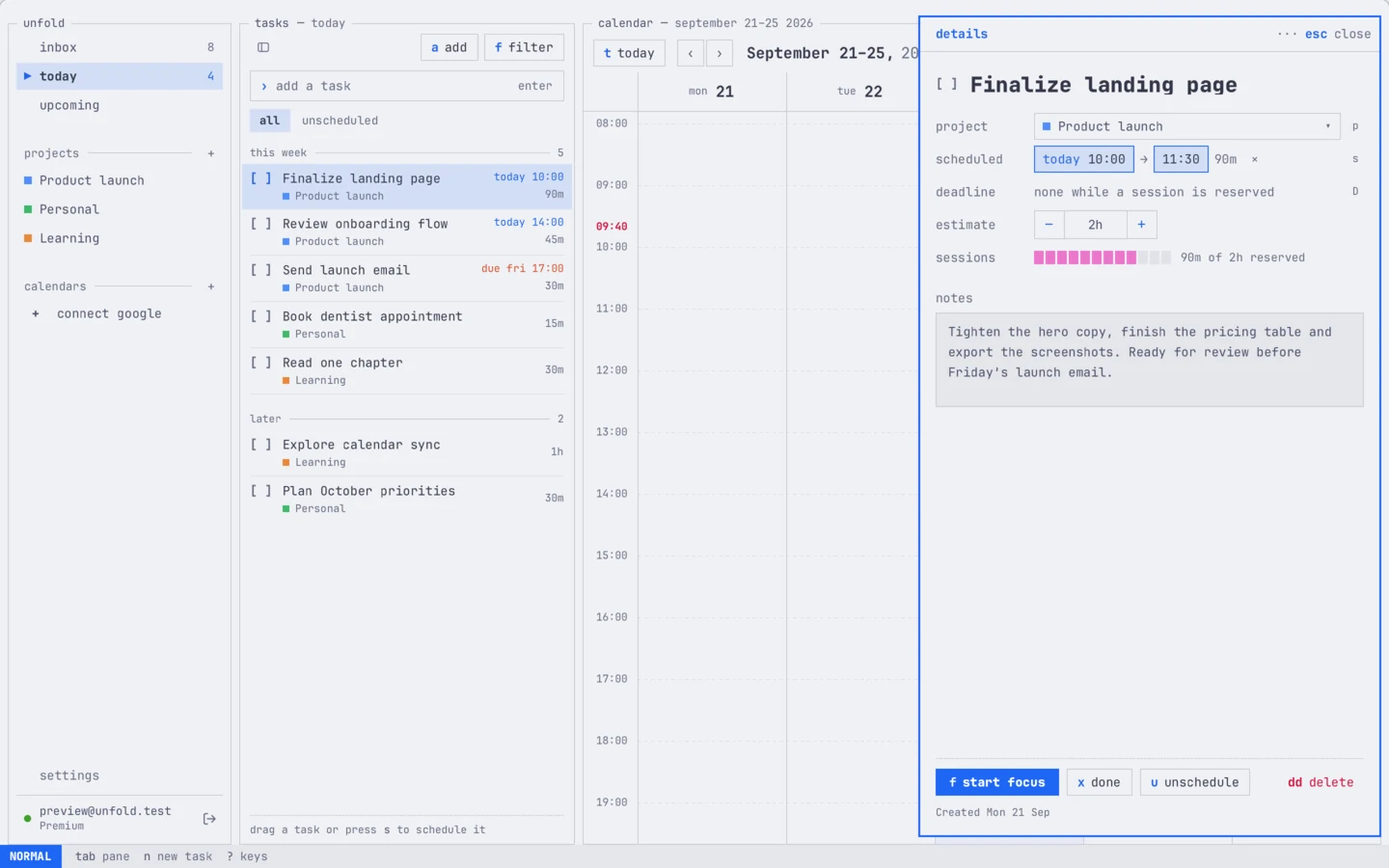
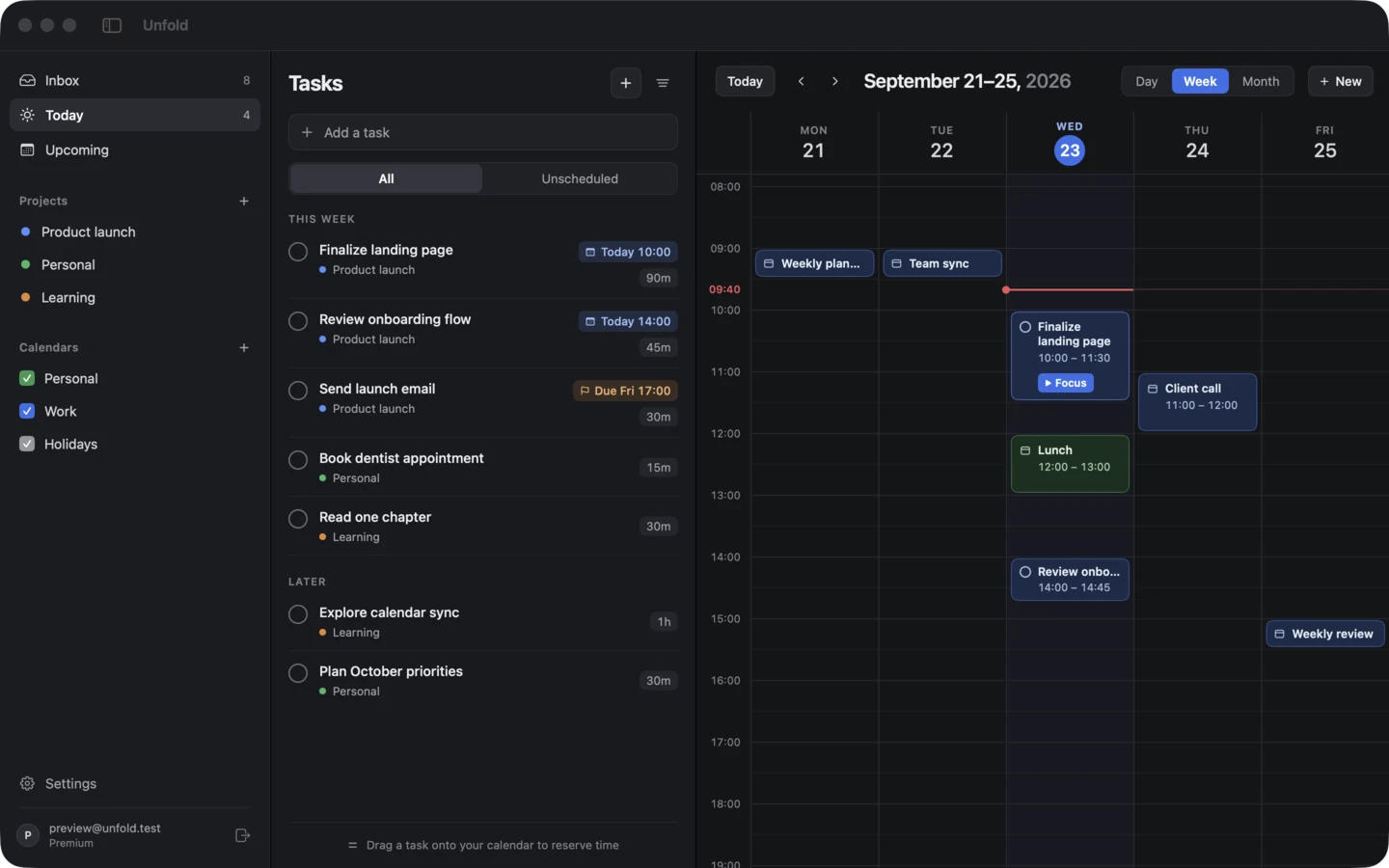
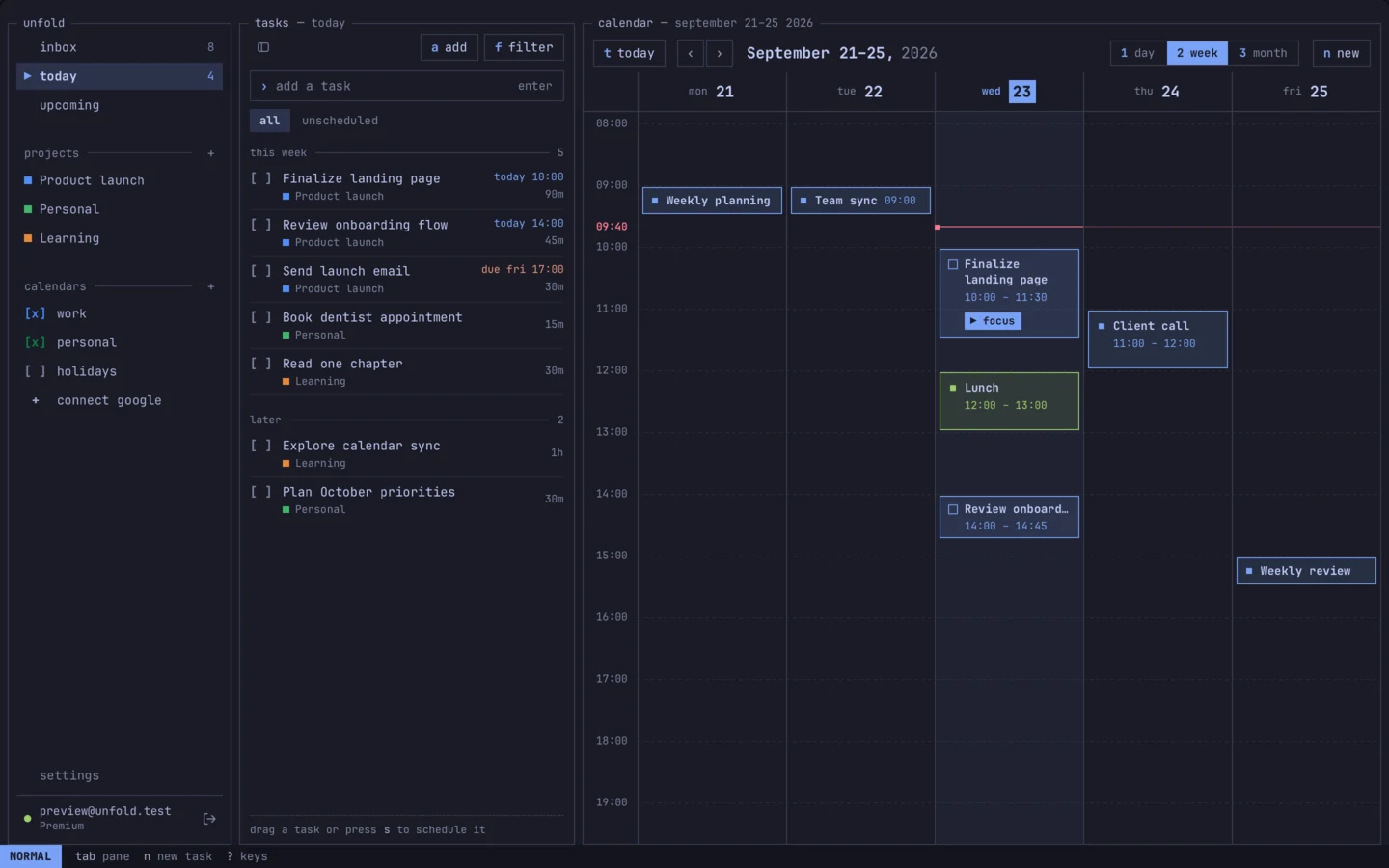
The same week in Unfold for Mac and Unfold for Omarchy: tasks for a product launch in a list beside a week calendar, with meetings and time blocks from Monday 21 to Friday 25 September.

Why Unfold

  • Local-first and free.

    Everything you plan is saved in a database on your computer, so Unfold opens at once and keeps working offline. There’s no account to create and no limit on tasks or projects.

    Unfold.sqlite unfold.sqlite
  • Native on both desktops.

    SwiftUI on the Mac and Rust with GTK4 on Omarchy. Two real desktop apps that each follow their own system, rather than one web page in two wrappers.

    UnfoldApp.swift main.rs
  • Ready for your agents. Coming soon

    Add the Unfold skill to Claude Code, Codex or your own agent, then ask it to plan your week. It proposes the tasks and the times; you accept them on your calendar.

    SKILL.md

Your plan lives on your computer.

Unfold keeps your tasks, projects and focus sessions in a SQLite database on your disk, and the app only ever reads from it. Nothing waits on a server: not opening the app, not typing, not dragging a task onto Thursday.

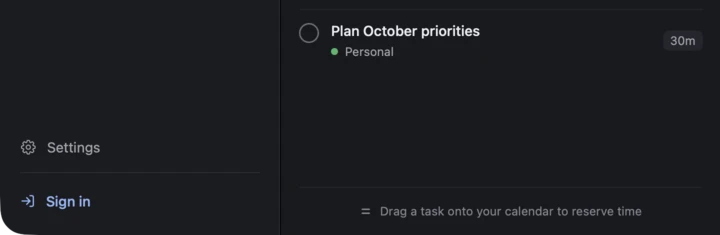
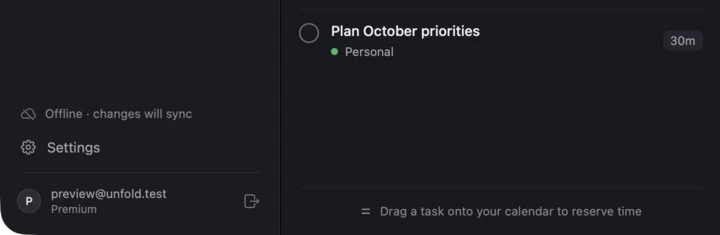
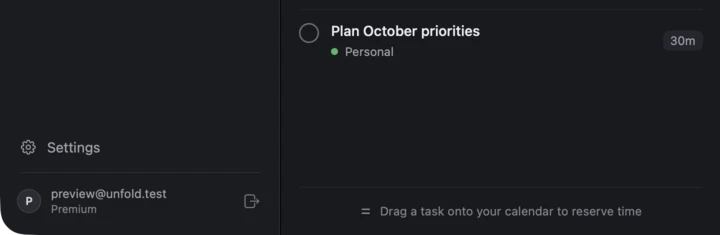
The bottom of the Mac app’s sidebar with Settings and a Sign in button: nobody is signed in, and the tasks are all there. The sidebar reads Offline, changes will sync, above the signed-in account. The sidebar shows the signed-in account on the Premium plan.
Show the app

Free, where the others start a trial.

ComparedUnfoldSunsamaAkiflow
Free planYes, with no limitsNo, 14-day trialNo, 7-day trial
Works offline on desktopYesNoUnclear
Desktop appNative: Swift and RustElectronElectron
Paid planPremium, priced at launch$17–22 a month$19–34 a month

Sunsama and Akiflow details from their own websites and help pages, checked September 2026.

A day in Unfold.

Write it down, give it a time, then give it your attention.

08:45 Capture

Get it out of your head in a few keystrokes.

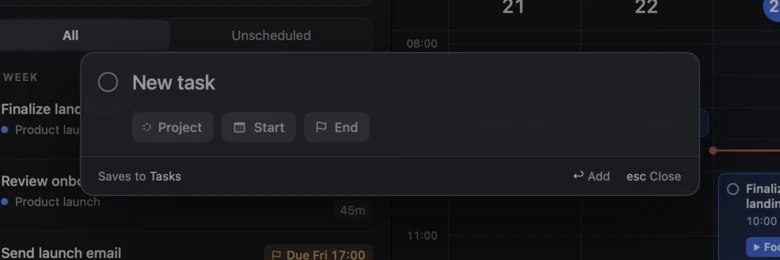
Quick Entry opens over the app for a new task, with its project, start and end a Tab away. On Omarchy it also reads what you type: Draft pricing FAQ tomorrow 45m #launch becomes a task in Product launch, in tomorrow’s first free slot, 45 minutes long. Press Super Shift T to open it from anywhere.

  • Inbox, Today and Upcoming
  • Projects, each with its own color
  • Estimates, deadlines and notes on every task
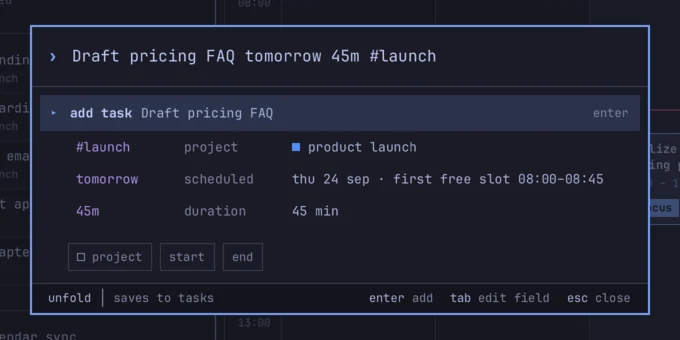
Unfold for Omarchy’s Quick Entry: the text Draft pricing FAQ tomorrow 45m #launch is read as project Product launch, scheduled Thursday 24 September in the first free slot 08:00 to 08:45, duration 45 minutes. Unfold for Mac’s Quick Entry: a New task field with Project, Start and End chips, over the dimmed task list.

09:00 Plan

Give every task a time in your week.

Drag a task onto the calendar to reserve time for it. Your meetings sit beside your tasks, so you can see what fits before you commit. Switch between day, week and month, and move a block when the day changes.

Apple Calendar Mac
Free. Shows every account you’ve added to macOS Calendar, like iCloud, Google or Exchange. Unfold can also add your scheduled tasks to a calendar as busy time.
Google Calendar Mac Omarchy Premium
Connected through your Unfold account, so it keeps syncing while your computer is off.
Outlook Coming soon
In both apps, the same way as Google.
The Mac app’s week calendar with Research, Design exploration, Finalize landing page, Lunch and Client call blocks, while Review onboarding flow is dragged from Wednesday 14:00 to Thursday 15:00.
Moving “Review onboarding flow” from Wednesday to Thursday afternoon, in the Mac app.

10:00 Hyperfocus

Then it’s just you and the task.

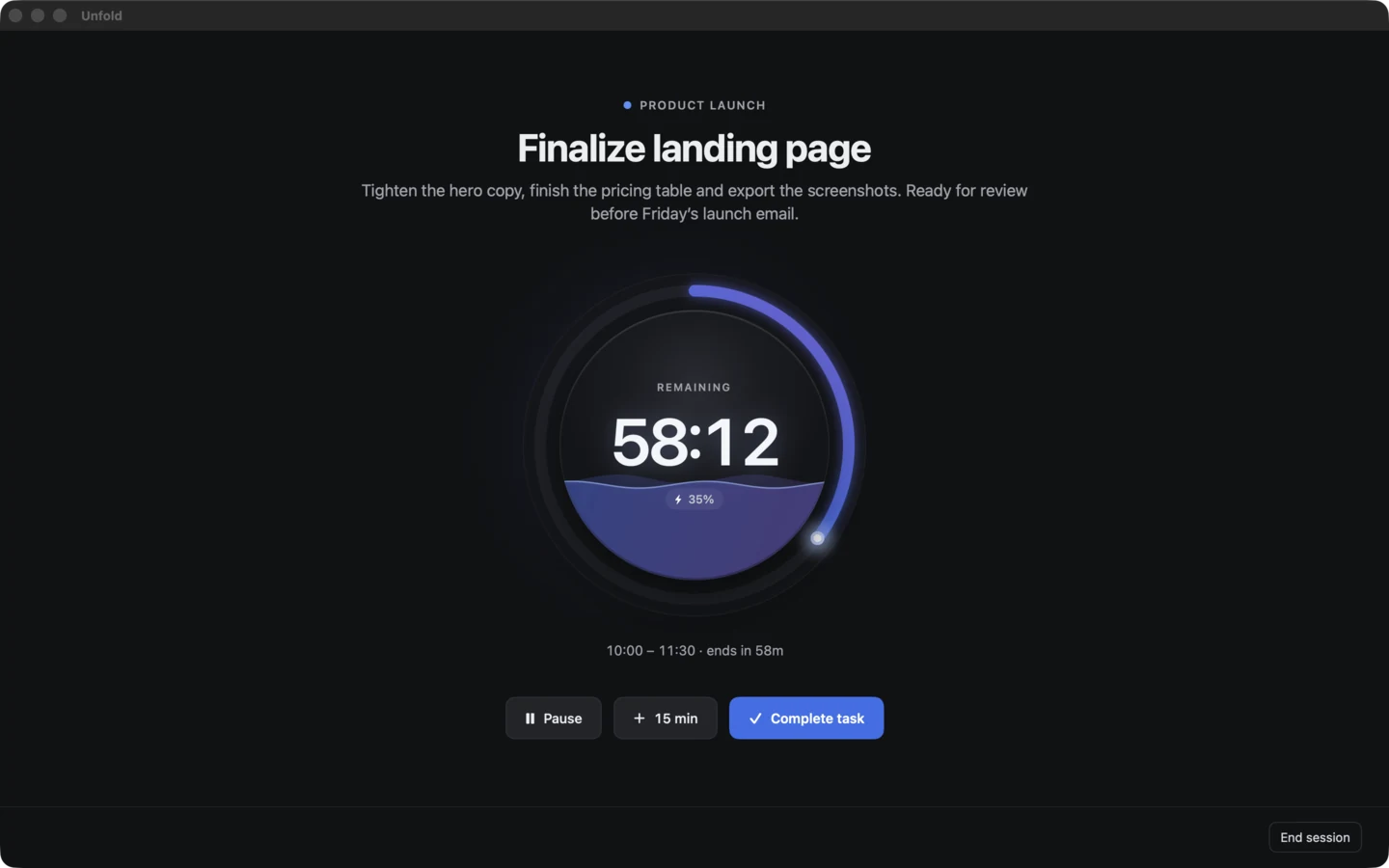
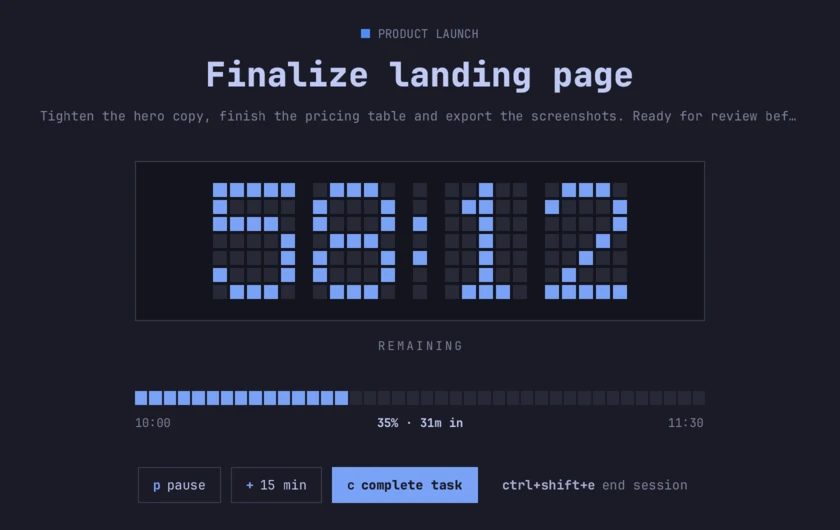
Start Hyperfocus from a task or from its block on the calendar. Unfold steps aside: the window hides, and the time left sits in your menu bar or in Omarchy’s bar. When time’s up you get a notification, and the session counts overtime until you end it.

A Hyperfocus session in the Mac app: Finalize landing page, with 58:12 remaining in a glowing ring that is 35 percent full, and Pause, 15 min and Complete task buttons. The same session in the Omarchy app: a pixel timer reading 58:12, a block progress bar at 35 percent, and the keys p pause, plus 15 min and c complete task.
  • Pause, add 15 minutes, or complete the task
  • Omarchy holds your notifications until the session ends
  • Sessions survive quitting and restarting

Coming to Hyperfocus Coming soon

  • Turn on macOS Focus when a session starts
  • Ambient sound while you work
  • A moving desktop on the Mac
  • A finish step to log progress or book the next session
  • Focus history and stats

Two apps. Each one native.

Unfold for Mac and Unfold for Omarchy share what they do, not how they look. Each is built with its platform’s own tools and feels at home there.

unfold for omarchy

rust and gtk4. for omarchy 3 and 4, on arch linux.

The Omarchy app in the Tokyo Night theme with a task’s details open, showing its project, schedule, estimate, a block progress bar for sessions, and notes. The same screen in the light Catppuccin Latte theme.

follows your omarchy theme, and changes the moment you do.

  • every action has a key, and the key is on screen. ? lists them all
  • j k to move, gg G to jump, x to complete, dd to delete
  • super shift u opens unfold, super shift t opens quick entry
  • the hyperfocus timer shows in waybar or the omarchy 4 bar
  • a pacman package, with a setup script for keys, bar and theme

Coming soon Premium

Let an agent plan your week. Keep the final say.

Unfold is being built for you and your AI agents. With the Unfold skill, Claude Code, Codex or your own agent can read your schedule, create tasks and propose time for them. The plan appears on your calendar as a draft, and nothing changes until you accept it.

  • Unfold skill

    Teaches any agent how to plan in Unfold: your tasks, your projects and your free time.

  • MCP server

    Tasks, projects and free time as tools, with only the access you grant.

  • Claude and Codex plugins

    Install once, then ask in plain language.

  • Command line

    Add and schedule tasks from a script or a terminal.

  • A feed of what changed

    See every change an agent made, live in the app, and undo it.

agent

› Create the tasks for my launch and reserve time for them this week.

Reading your week in Unfold

Free time: Tue 13:00–17:00, Wed 14:30–18:00, Thu 09:00–12:00

Proposed 5 tasks in Product launch, 6 h 15 m in all.

Nothing changes until you accept the plan in Unfold.

Proposed plan5 tasks, 6 h 15 m
Tue 22 Write launch post13:00–15:00 Record demo15:15–16:15
Wed 23 Pricing FAQ14:30–15:45
Thu 24 Press list09:00–10:00 Final QA10:15–11:15
Accept planEditDiscard
An illustration of how it will work. Agent access isn’t available yet.

Everything in Unfold.

What works today, what’s coming, and what’s in Premium. Anything not marked Premium is free.

AvailableComing soonOn the roadmap Not planned for this app

FeatureMacOmarchyPlan
Tasks and planning
Tasks with projects, estimates, deadlines and notesAvailableAvailableFree
Inbox, Today and UpcomingAvailableAvailableFree
Quick EntryAvailableAvailableFree
Quick Entry that reads “tomorrow 45m #launch”Not plannedAvailableFree
Quick Entry from anywhere, with a system-wide shortcutComing soonAvailableFree
Keys for every action, shown on screenNot plannedAvailableFree
Compact sidebarAvailableAvailableFree
Command barComing soonComing soonFree
SearchComing soonComing soonFree
Recurring tasksComing soonComing soonFree
SubtasksComing soonComing soonFree
Daily plan and end-of-day review, with rolloverComing soonComing soonFree
Import and exportComing soonComing soonFree
Calendar
Day, week and month viewsAvailableAvailableFree
Drag tasks onto the calendar to reserve timeAvailableAvailableFree
One task across several work sessions, with time trackedComing soonComing soonFree
Apple Calendar events beside your tasksAvailableNot plannedFree
Scheduled tasks added to your calendar as busy timeAvailableNot plannedFree
Google Calendar, synced by Unfold’s serverAvailableAvailablePremium
Outlook CalendarComing soonComing soonPremium
Hyperfocus
Focus sessions with pause, 15 more minutes and overtimeAvailableAvailableFree
Time left in the menu bar, or in Waybar and the Omarchy barAvailableAvailableFree
A notification when time’s upAvailableAvailableFree
Notifications held during a sessionComing soonAvailableFree
A finish step: log progress or book the next sessionComing soonComing soonFree
Ambient soundComing soonComing soonPremium
A moving desktopComing soonNot plannedPremium
Focus history and statsComing soonComing soonPremium
Your data
Saved on your computer, works offlineAvailableAvailableFree
No account neededAvailableAvailableFree
Sync across your computersAvailableAvailablePremium
Cloud backup and version historyComing soonComing soonPremium
Agents
The Unfold skill for Claude Code, Codex and other agentsComing soon, for both appsPremium
MCP serverComing soon, for both appsPremium
Claude and Codex plugins, and a command-line toolComing soon, for both appsPremium
Plans proposed as drafts on your calendarComing soon, for both appsPremium
Live updates and undo for agent changesComing soon, for both appsPremium
Later
iPhone appOn the roadmapFree, sync with Premium
Tasks from Linear, GitHub, Slack, Gmail and NotionOn the roadmapPremium

Free for your daily plan. Premium for more.

The planning loop is free for good. Premium covers what runs on our servers, and it works in both apps with one account.

Free

$0

No account, no trial, and no limits on tasks or projects.

  • Tasks, projects, estimates, deadlines and notes
  • Day, week and month calendar, with drag to schedule
  • Apple Calendar on the Mac
  • Hyperfocus sessions and the bar timer
  • Quick Entry
  • Everything saved on your computer, and it works offline
Download Unfold

Premium

Priced at launch

Sign in to turn it on. Your computer keeps working on its own copy either way.

  • Sync across your computers
  • Google Calendar, synced by Unfold’s server Outlook soon
  • Agent access Coming soon
  • Hyperfocus sound, moving desktop and stats Coming soon
  • Cloud backup and version history Coming soon
  • Tasks from Linear, GitHub, Slack, Gmail and Notion Later

Plan tomorrow tonight.

Unfold is free on macOS and Omarchy. No account needed.

macOS 14 Sonoma or later. Omarchy 3 or 4 on Arch Linux.

install unfold on omarchy
  1. download the package and install it with pacman. run it again to update.

    curl -fsSL https://unfoldplanner.com/install.sh | bash
  2. set up the keys, the bar module and the theme hook. run it without --apply first to see what it changes.

    unfold-omarchy-setup --apply
  3. press super shift u to open unfold, and super shift t for quick entry.

works with omarchy 3 and 4, on x86_64. the script fetches the package from github releases and runs pacman -U; read it first. to remove unfold: sudo pacman -R unfold-omarchy.